
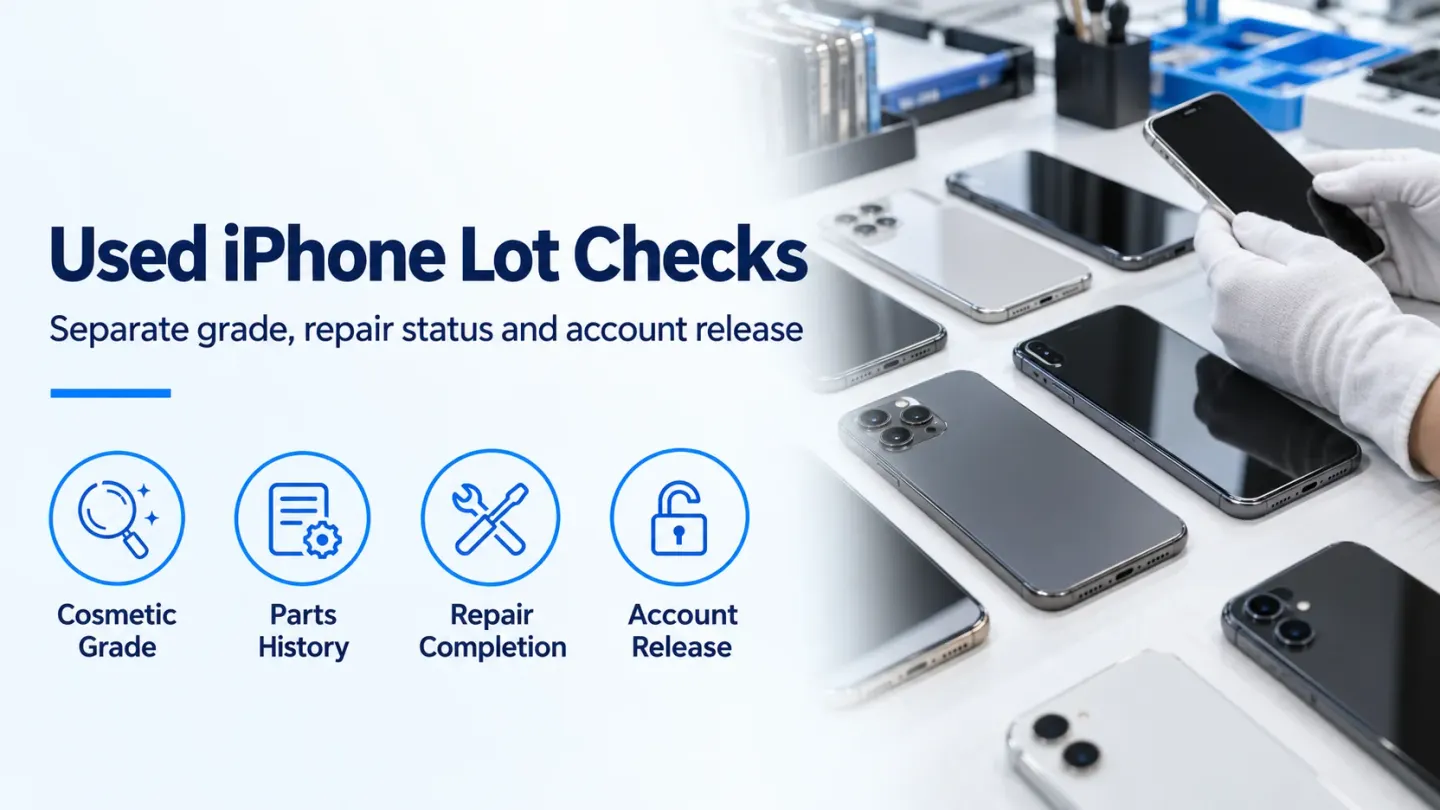
A used iPhone wholesale grading and parts pairing check can stop a clean-looking unit from entering resale with an unfinished repair. Record cosmetic condition, function, parts messages and account-lock status separately, then release only devices that meet the written order.
For a wholesale buyer, a parts-and-service message changes the evidence needed for acceptance. It does not assign a cosmetic grade or establish a resale discount. A disclosed replacement may meet the order; an unexplained message needs investigation, and an unfinished repair needs completion and retesting. Keep the result attached to the device identifier so an acceptable carton average cannot conceal an unresolved unit.
The parent used phones wholesale guide covers the broader order specification. This page focuses on how Apple’s repair information changes that inspection.
Keep the grade separate from repair status
Write separate acceptance fields for appearance, operation and repair history. A housing can meet the seller’s photo standard while a replaced component still needs attention.
Do not translate a letter grade into an assumed price gap. Compare devices against the same written specification, then evaluate the actual acquisition and rework factors.
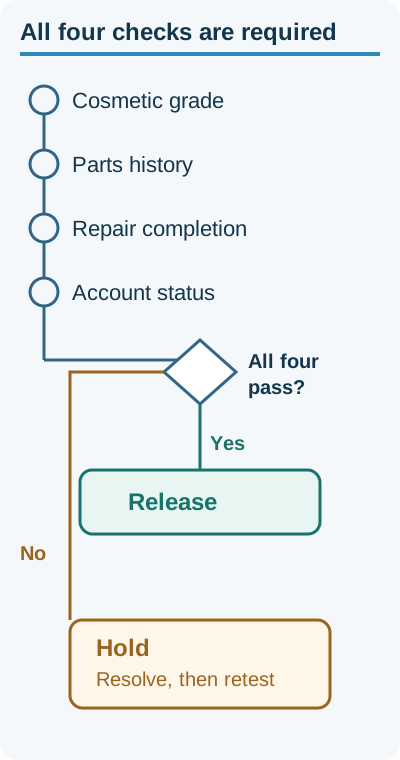
A pass on one gate does not clear the other three. Editorial inspection split, not a price chart.
Read the message before deciding what it means
Open Settings → General → About. Apple’s Parts and Service History guidance, published July 7, 2026 and accessed October 19, 2026, describes this section for iOS 15.2 and later; component coverage depends on the model. Older software offers more limited information, and only the most recent service for a component appears. An absent entry is therefore insufficient evidence that every component is original.
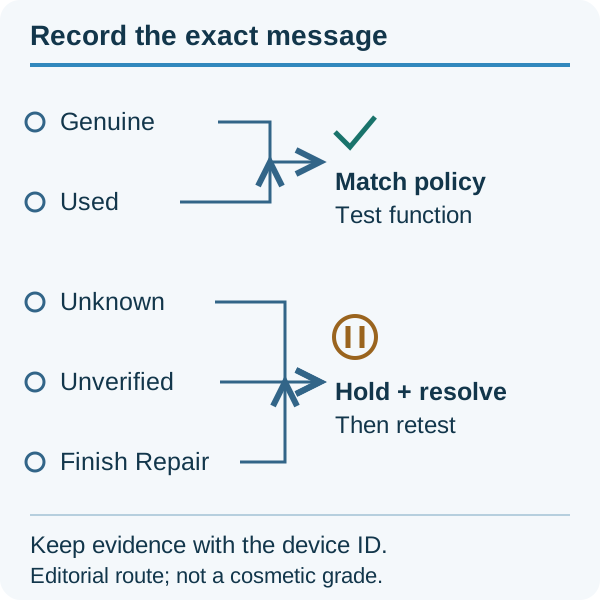
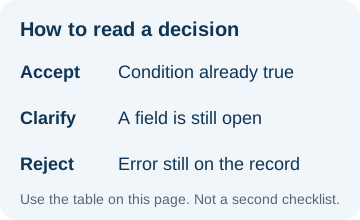
Use the exact message to choose the next evidence request; this is an editorial inspection route.
These are message meanings, not automatic wholesale grades. Apple’s documentation says most messages do not themselves prevent use, subject to the described exceptions. Acceptance still depends on both function and the agreed parts policy.
Separate device Activation Lock from part completion
A successful device setup does not establish that every replacement component has completed calibration. Check both paths.
Apple’s Activation Lock instructions, accessed October 19, 2026, direct buyers to ensure the device is erased and removed from the previous owner’s account. Begin setup: if it requests that owner’s credentials, return it for authorized account removal. Do not take ownership while it remains protected.
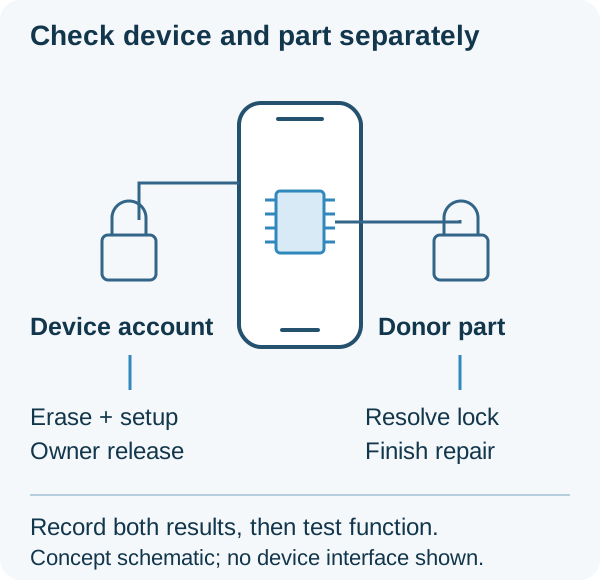
Device account release and replacement-part completion are separate inspection records.
Apple’s Repair Assistant guidance, published September 21, 2026 and accessed October 19, 2026, explains that the tool installs calibration data after replacement on supported devices and components. A donor part may be protected by Activation Lock. Missing account information can prevent completion; ask the repair provider to resolve it through the authorized process. Do not accept a promise that a locked part will simply clear later.
Follow the current instructions for the exact model and component. Recheck the history and required functions after completion rather than accepting only a screenshot of the repair starting.
Apply a release threshold to the actual inspected group
Release decisions need complete device records, not an inferred result for unexamined stock.
Buyer rule, defined October 19, 2026: If the count of devices with completed required checks is less than the count proposed for release, under an order requiring every released device to meet the specification, hold the unchecked devices. Missing evidence cannot establish conformity. A confirmed lock or parts-policy mismatch belongs in Reject; an unresolved cause belongs in Hold.
Use mutually exclusive dispositions so the same device is not deducted twice:
Released devices = inspected devices − held devices − rejected devices.
Hypothetical numeric example — October 19, 2026 worksheet: Assume a fully inspected group of 80 phones, with 6 phones held for unresolved repair evidence and 4 other phones rejected for confirmed order mismatches. Released devices = 80 phones − 6 phones − 4 phones = 70 phones. The assumed counts explain the arithmetic; they are neither an observed yield nor a prediction for the remaining lot.
Keep each device’s model, identifier, software version, cosmetic result, function results, component messages, setup result, evidence date and disposition together. Define who can approve release after a hold is resolved.
Budget for the work that a parts message creates
Hidden costs include repeat inspection, repair-provider coordination, segregation, relabeling, return freight and time awaiting a credit. A cosmetic grade does not absorb these tasks.
Record the labor and delay against the affected devices, then reconcile the remedy with the DOA, warranty and returns guide. Agree whether an undisclosed replacement or unfinished repair is a receipt discrepancy, who pays freight, and which evidence starts the claim. Keep the claim deadline visible while the device is on hold.
Method and sources
Updated October 2026. Message meanings and lock procedures come from the linked Apple support pages retrieved October 19, 2026. The inspection dispositions, release threshold and arithmetic worksheet are editorial procurement tools. They do not certify a supplier or establish a price for a grade. PhoneBulk publishes buying guidance and does not sell, stock or certify phones.
Sources and methodology
- iPhone Parts and Service History — Apple Support Accessed October 19, 2026.
- Activation Lock for iPhone and iPad — Apple Support Accessed October 19, 2026.
- Use Repair Assistant to finish an iPhone or iPad repair — Apple Support Accessed October 19, 2026.
Update history
- — First published. Official sources on this page were accessed on this date unless a later note says otherwise.
Factual corrections after publication are listed on the corrections page. Editorial responsibilities and review methods are described in the editorial policy.

About the author
Frank Dean
Frank Dean researches manufacturer, standards, and trade documents for PhoneBulk, then turns them into accept / clarify / reject buying guidance for resellers.
- Source-backed wholesale research
- Claim-level fact review
- Separation of official rule and trade practice